LunchLink workplace catering guide
Downtown Toronto catering delivery checklist
Plan a downtown Toronto catering delivery brief covering the building, stopping point, entrance, loading, security, elevator, receiver, setup, and meal time.
LunchLink Editorial Team
Research and writing
LunchLink Catering Planning Team
Operational review
Direct answer
The short answer
Plan the delivery as a chain from legal curb or loading access to the final serving position. Confirm the exact building and tower, current road and parking restrictions, vendor check-in, elevator route, room, onsite receiver, item-count process, dietary handoff, setup responsibilities, and escalation contacts. Work backward from the eating time and have the selected provider accept the complete route and window.
At a glance
Key takeaways
- Map the route from legal stopping point to serving table
- Use the building name, tower, entrance, floor, and room—not the company name alone
- Recheck City road restrictions and posted curb rules for the event date
- Notify security and reserve loading or service access when the building requires it
- Keep a primary and backup receiver reachable throughout the arrival window
- Count the order and protect dietary meals before the delivery is released
Map the final kilometre and the final metres
Downtown delivery has two distinct routes. The final kilometre covers traffic, road restrictions, legal stopping or loading, and the correct building entrance. The final metres cover security, corridors, service elevators, floors, rooms, and the exact surface where the order is counted and staged.
Write both routes before requesting a quote. The provider needs enough information to assess the delivery, and the onsite team needs enough information to meet the driver. A street address alone does not describe the real handoff in a multi-tower complex.
| Stage | Detail to confirm | Owner |
|---|---|---|
| Approach | Current road access, planned restrictions, event impacts, and vehicle limitations | Provider and workplace planner |
| Stop or loading | Legal curb position, loading dock, commercial loading zone, visitor parking, or other building-approved point | Provider and facilities |
| Entrance | Tower, street entrance, loading entrance, intercom, or receiving desk | Facilities or property management |
| Check-in | Security notice, identification, vendor log, access card, escort, and waiting location | Security and onsite receiver |
| Vertical route | Service elevator, booking, size, floor access, and after-hours limitations | Facilities |
| Final handoff | Room, serving surface, count point, dietary staging, and setup responsibility | Onsite receiver |
Identify the building precisely
Provide the civic address, full building name, tower, entrance, floor, room, and company or event name. If the complex connects through an interior concourse or PATH, do not assume a delivery driver can or should use that route; provide the building-approved vendor path.
Add a map pin or landmark only as supporting information. The written instructions remain the source of truth. Verify that the room exists under the name used by security and that the receiver knows whether the delivery arrives at the street, loading dock, reception, or service corridor.
- Civic street address
- Building and tower name
- Approved vehicle or pedestrian entrance
- Floor, room, suite, or event space
- Company and event name used by reception
- Primary and backup receiver mobile numbers
Confirm where the vehicle can legally stop
Do not tell a provider to stop 'out front' unless the exact curb condition has been checked. Toronto distinguishes no parking, no standing, and no stopping restrictions. The City's parking guidance explains that no parking can permit active loading or unloading, while no standing permits passenger pickup or drop-off rather than merchandise delivery; posted signs and current restrictions govern the location.
Confirm whether the building has a loading dock, commercial loading zone, delivery vehicle space, visitor parking, or another approved handoff. Share vehicle height, width, booking, access, and time limits when the building provides them. Never ask a driver to block a bike lane, transit stop, fire route, sidewalk, or restricted curb.
| Location type | Question to answer | Do not assume |
|---|---|---|
| Building loading dock | Is a booking, vendor registration, vehicle limit, or escort required? | That the dock is available simply because the building has one |
| Commercial loading zone | What do the posted days, times, and active-loading conditions allow? | That it can be used outside the signed rules |
| No parking area | Does current signage permit active merchandise loading at the planned time? | That the driver can leave the vehicle or wait |
| No standing or no stopping area | What activity is prohibited under the current sign and City rule? | That food delivery is permitted because passenger drop-off is allowed |
| Private parking or garage | Is commercial delivery allowed, and are clearance and payment instructions known? | That a passenger vehicle space fits the delivery operation |
| Street handoff | Can the receiver meet the driver immediately at a legal position? | That a phone call creates a lawful or safe place to stop |
Recheck road restrictions and event conditions
The City of Toronto maintains a road-restrictions map and list for planned and unplanned restrictions. Check the event date and route close enough to delivery to catch construction, lane closures, major events, and temporary access changes, then send relevant information to the provider.
Do not publish or reuse a permanent route around a temporary restriction. The selected provider controls its route, and the building controls its property access. The workplace planner's role is to disclose known conditions and keep the handoff instructions current.
- City road-restrictions map checked for the event date
- Building notices and construction bulletins reviewed
- Major event, street closure, or security perimeter identified
- Temporary entrance or loading change confirmed
- Weather or seasonal condition considered
- Provider notified without prescribing an unsafe route
Arrange security and vendor access
Ask property management or facilities whether catering vendors must be registered in advance, show identification, use an intercom, check in at a loading desk, wear a visitor badge, or wait for an escort. Give security the provider or delivery name and arrival window when building policy allows.
The receiver should be able to answer the driver's call immediately and meet at the agreed point. A lobby receptionist is not automatically the catering receiver and may not be allowed to accept, store, or escort food. Confirm the handoff instead of assigning it implicitly.
| Control | Confirm with building | Tell provider |
|---|---|---|
| Vendor registration | Required information and submission deadline | Which business or driver details must be supplied |
| Identification | Accepted ID and check-in desk | What the driver must carry |
| Escort | Who meets the driver and where | Do not proceed beyond the handoff without the escort |
| After-hours access | Locked doors, reduced staffing, and elevator limits | Exact access window and contact |
| Waiting | Whether any holding area exists | Call before arrival if waiting onsite is not allowed |
| Failed access | Escalation path and alternate approved entrance | Primary and backup contacts |
Reserve the elevator and clear the indoor route
Large orders, carts, beverage containers, or buffet equipment may require a service elevator. Confirm whether it must be booked, whether a key or operator is needed, and whether the car, doors, corridors, and room entrance can accommodate the delivery equipment.
Walk the route to the room. Remove boxes, furniture, locked doors, and meeting materials that block the path. If the room changes, update the provider, security, receiver, and setup team before arrival; a calendar update alone may not reach everyone involved in delivery.
- Service versus passenger elevator requirement
- Elevator booking and access method
- Cart, container, or equipment dimensions
- Floor and room access
- Clear path to the setup surface
- Second elevator trip or equipment pickup plan
Build the schedule backward from eating time
Start with the time attendees should begin eating—not the meeting start or the requested driver arrival. Work backward through guest release, final setup, item count, dietary separation, room entry, elevator, security, unloading, and the agreed delivery window.
Avoid copying a universal early-arrival buffer. A simple individual order to a staffed reception and a hot buffet through a booked dock require different timelines. Ask the provider to accept the complete sequence and advise what food-quality or holding limits constrain it.
| Milestone | Question | Owner |
|---|---|---|
| Guests eat | When must attendees have usable access to the complete meal? | Event owner |
| Service opens | How long do labels, equipment, and food need for final readiness? | Setup owner and provider |
| Order counted | Where are quantities, containers, and dietary meals verified? | Onsite receiver |
| Room reached | How long do security, elevators, corridors, and multiple trips take? | Facilities and receiver |
| Vehicle unloaded | Where can the vehicle legally stop and how quickly can the receiver meet it? | Provider and receiver |
| Arrival window | Which window is feasible without holding food too early? | Selected provider |
Match the delivery plan to the serving format
The number and shape of containers affect the handoff. Individual meals need sorting space and label review. Platters need stable flat surfaces and serving utensils. A buffet can add carts, insulated carriers, equipment, fuel, linens, staff, and a later pickup.
Tell the provider about narrow doors, stairs, restricted elevators, lack of refrigeration, limited setup space, or a room that cannot accept an open flame. Confirm the actual format and equipment rather than assuming the building can support a generic buffet.
| Format | Handoff space | Access or setup question | Receiving control |
|---|---|---|---|
| Individual meals | Tables for counting and sorting | Can boxes be grouped without blocking circulation? | Reconcile count and labels before pickup |
| Platters | Flat setup surface near the eating area | Are serving utensils, stands, or refrigeration needed? | Match every container to the confirmation |
| Buffet | Service tables plus equipment and circulation | Can carts, hot-holding equipment, and staff use the route and room? | Confirm setup, equipment, fuel, linens, and pickup responsibility |
| Beverage service | Stable surface protected from electronics and foot traffic | Can heavy containers reach the room safely and is power or water needed? | Check cups, lids, sweeteners, dairy alternatives, and spill plan |
| Hybrid | Separate zones for protected meals and shared service | Can the two formats arrive and stage without confusion? | Reconcile the audience split and prevent cross-pickup |
Give the onsite receiver a real checklist
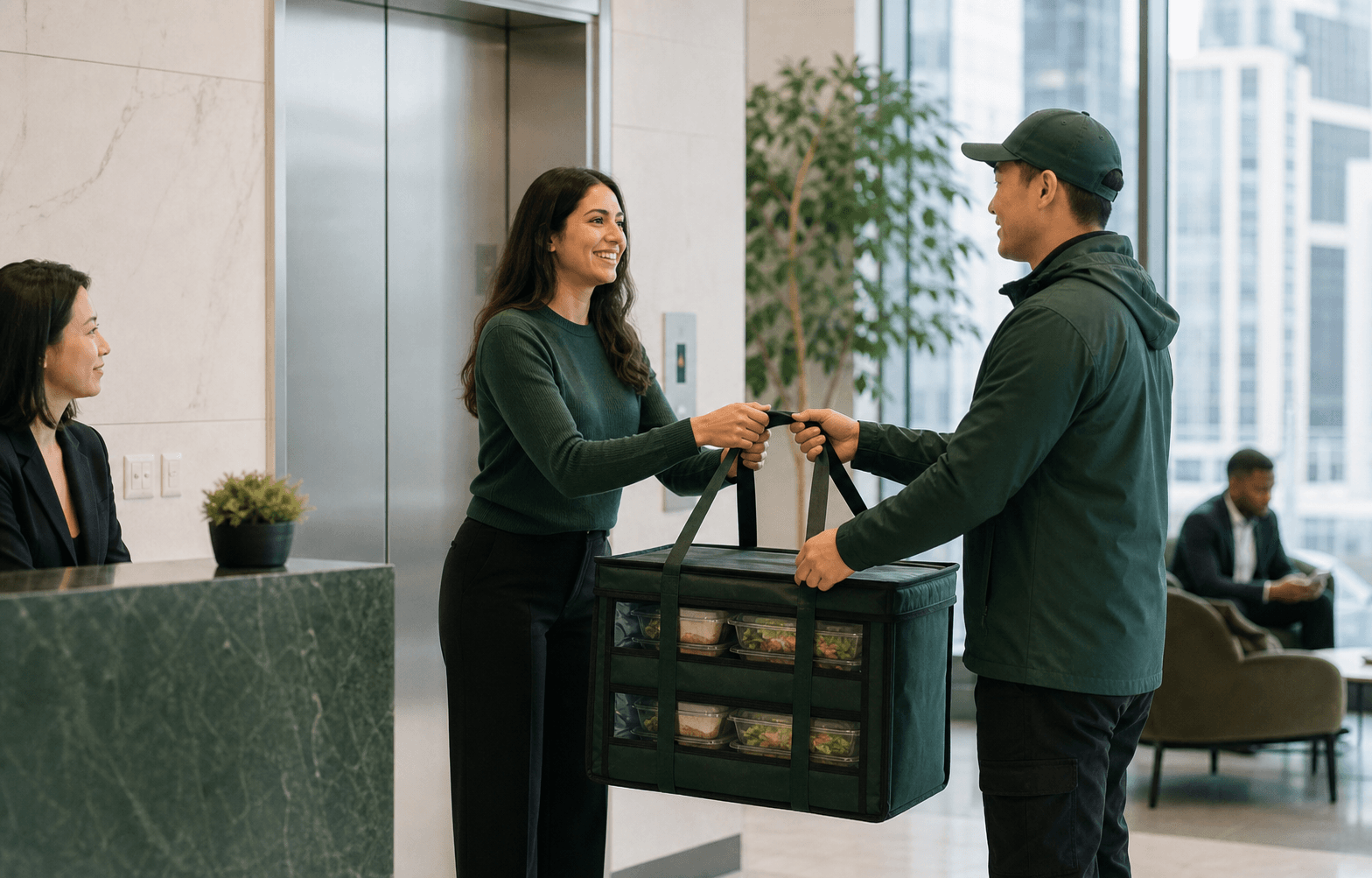
The receiver should be free during the entire arrival window, carry a phone, know the route, and have the order confirmation. Assign a backup who can reach security and the room if the primary contact is delayed or presenting.
Count before signing off or distributing. Compare meal or container quantities, identify missing serviceware, confirm dietary labels, and record shortages, substitutions, damage, or temperature concerns through the provider's escalation process. Avoid photographing attendee names or private dietary information.
- Phone charged and audible
- Security and loading contacts available
- Order confirmation and item count available
- Room and staging surfaces ready
- Dietary-meal zone identified
- Shortage, substitution, and failed-access escalation known
- Backup receiver available
- Packaging retained until the order is reconciled
Protect dietary meals during the handoff
Separate confirmed dietary meals before general pickup. Check that labels match the agreed categories or identifiers and that a replacement has not been made without verification. Store ingredient or handling information supplied by the provider where the intended attendee can access it.
For shared service, place protected dishes and utensils according to the confirmed plan. Do not let convenience at setup erase the dietary workflow. If a label is missing or unclear, pause distribution of that item and contact the provider rather than guessing.
- Dietary count reconciled with the confirmation
- Labels checked before general service
- Protected meals stored separately
- Dedicated utensils placed with confirmed shared dishes
- Substitution questions escalated
- Named onsite person available for attendee questions
Plan food holding and leftovers before the room fills
Ask how long the food can be held, whether refrigeration or hot-holding equipment is required, and who monitors the service window. Do not schedule food substantially earlier merely to eliminate delivery anxiety; the arrival plan must also protect quality and safe handling.
Health Canada identifies 4°C to 60°C as the temperature danger zone and advises discarding cooked food left at room temperature for more than two hours. Follow provider instructions for unopened items, refrigeration, hot holding, leftovers, and equipment. Appearance or smell cannot establish that improperly held food is safe.
- Provider holding instructions recorded
- Refrigeration or hot-holding responsibility assigned
- Service opening time noted
- Unopened and served leftovers handled separately
- Containers and labels retained where required
- Equipment shutdown and pickup planned
Create an escalation path for common failures
A useful delivery brief anticipates what happens when the driver cannot stop, security has no vendor record, the dock is occupied, the elevator is unavailable, the room changed, the receiver misses the call, or the order is incomplete. Name the people who can solve each problem and the order in which they should be contacted.
An alternate entrance or handoff must be building-approved and communicated to the provider; it should not be invented during the incident. Record the issue after service and update the permanent building playbook only when facilities confirms the change.
| Failure | First action | Escalation |
|---|---|---|
| No legal stopping point | Driver follows provider procedure and contacts the receiver | Facilities confirms an approved alternate; do not direct illegal stopping |
| Security cannot find vendor | Receiver meets security with the event details | Facilities or property contact confirms access |
| Loading dock unavailable | Use the building's waiting or rescheduling procedure | Facilities and provider agree on the next approved handoff |
| Elevator or route blocked | Receiver checks the approved alternate indoor route | Facilities controls access; do not move equipment through a prohibited path |
| Receiver unreachable | Contact the named backup | Event owner or facilities follows the failed-delivery process |
| Shortage or substitution | Count, isolate the issue, and contact the provider | Follow the provider's correction, credit, or replacement process |
Send a copy-ready delivery brief
Put the complete handoff into the catering request and final confirmation. Keep it concise enough for a driver to use, but detailed enough for the provider to assess. Send updated instructions when any controlled field changes.
A request is not acceptance. The selected provider must confirm the current delivery route, arrival window, menu, equipment, price, minimums, and terms. The building must separately confirm property access and room conditions.
- Event: [name], [date], guests eat at [time]
- Address: [civic address], [building], [tower], [entrance]
- Vehicle handoff: [loading/parking instructions and current limits]
- Security: [registration, ID, check-in, escort]
- Indoor route: [elevator], [floor], [room], [setup point]
- Primary receiver: [name and mobile]; backup: [name and mobile]
- Order controls: [item count], [dietary handoff], [serviceware/equipment]
- Escalation: [provider contact], [facilities/security contact]
Frequently asked
Questions workplace planners ask.
There is no universal buffer. Work backward from the eating time through guest release, setup, counting, dietary separation, room entry, elevators, security, and unloading. The selected provider should accept a feasible arrival window that also protects food quality and holding requirements.
Only when current signage and City rules permit the planned activity. No parking, no standing, and no stopping are different restrictions. Confirm a building-approved loading dock, commercial loading zone, delivery space, private parking area, or other lawful handoff instead of relying on 'out front.'
Provide the civic address, building and tower, approved entrance, loading or parking instructions, security process, elevator, floor, room, final setup point, primary and backup receivers, arrival window, equipment needs, and any temporary restrictions.
A named person who is free throughout the arrival window, knows the building route, carries the order confirmation, can count and separate dietary meals, and can contact the provider. Assign a backup; do not assume reception can accept or escort food.
Check the City of Toronto road-restrictions map and building notices for the event date, disclose relevant conditions to the provider, and reconfirm the approved entrance or loading process. The provider controls its route; the building controls property access.
The receiver should meet the driver and contact the named facilities or property-management escalation. Use only a building-approved alternate entrance or handoff. Do not improvise an illegal curb stop or prohibited indoor route.